

Choosing the right multifunction printer (MFP) for your business isn’t just about printing documents anymore. Modern business printers serve as sophisticated document management hubs that can transform your office’s productivity. Whether you’re a growing enterprise in Albuquerque or a small business in Santa Fe, understanding the key features of multifunction printers and copiers will help you make an informed investment.
Understanding Your Business Printing Needs
Before diving into specific features, consider these essential factors:
- Monthly print volume and duty cycle requirements
- Color vs. black and white printing needs
- Required print speed (pages per minute – PPM)
- Paper handling capabilities and capacity
- Network integration requirements
- Document security needs
Example Business Printing Solutions
The Growing Professional Service Firm
When Sarah’s accounting firm in Santa Fe expanded from three to fifteen employees, their entry-level desktop printer couldn’t keep up with tax season demands. Client documents piled up waiting to be scanned, and employees wasted valuable time standing by the printer during peak hours. The firm needed a business-grade multifunction printer that could handle high-volume scanning, maintain document security, and manage multiple print jobs efficiently.
The solution? A mid-range laser multifunction printer with advanced security features, automatic document feeding, and network printing capabilities. The new office printer allowed staff to scan multi-page tax returns directly to their secure document management system, while separate paper trays for letterhead and standard paper streamlined their workflow. With their new commercial printer’s sorting and stapling features, preparing client packets became a one-step process instead of a time-consuming manual task.
The Multi-Location Small Business
Miguel’s local restaurant chain, with locations in both Albuquerque and Santa Fe, faced a different challenge. Each location needed to print high-quality menus and promotional materials while handling day-to-day office tasks like printing receipts and administrative documents. Their existing consumer-grade printers were consuming expensive ink cartridges at an alarming rate.
The answer was implementing reliable business printers at each location – combining a compact color laser printer for office documents with a high-quality inkjet printer for menu and marketing materials. This enterprise printing solution allowed them to produce professional-quality materials in-house while maintaining consistent branding across locations. The cost-per-page dropped significantly with their new laser printers, and the ability to print marketing materials on-demand reduced waste from menu updates.
Laser vs. Inkjet: Making the Right Choice
Laser Printers: Ideal for High-Volume Business Use
- Superior print speeds (up to 70 PPM for enterprise models)
- Lower cost per page for black and white printing
- Sharper text quality at 1200 DPI or higher
- Better durability for business documents
- Higher initial investment but lower long-term costs
- Ideal for: Reports, contracts, presentations, and high-volume office printing
Inkjet Printers: Versatile for Specific Business Needs
- Lower upfront costs
- Excellent photo and color document quality
- Less energy consumption
- Smaller footprint for space-conscious offices
- Higher cost per page for volume printing
- Ideal for: Marketing materials, photo printing, and low-volume office use
- Modern MFP Features Every Business Should Consider
Cloud Integration and Security
- Direct scanning to cloud storage (Google Drive, SharePoint, Dropbox)
- Secure print release with user authentication
- Encryption for stored and transmitted documents
- Integration with document management systems
Mobile and Remote Printing Solutions
- Wireless printing from any device
- Mobile app support for remote printing
- Near Field Communication (NFC) capabilities
- Email-to-print functionality
- Support for remote workforce printing needs
Smart Features for Enhanced Productivity
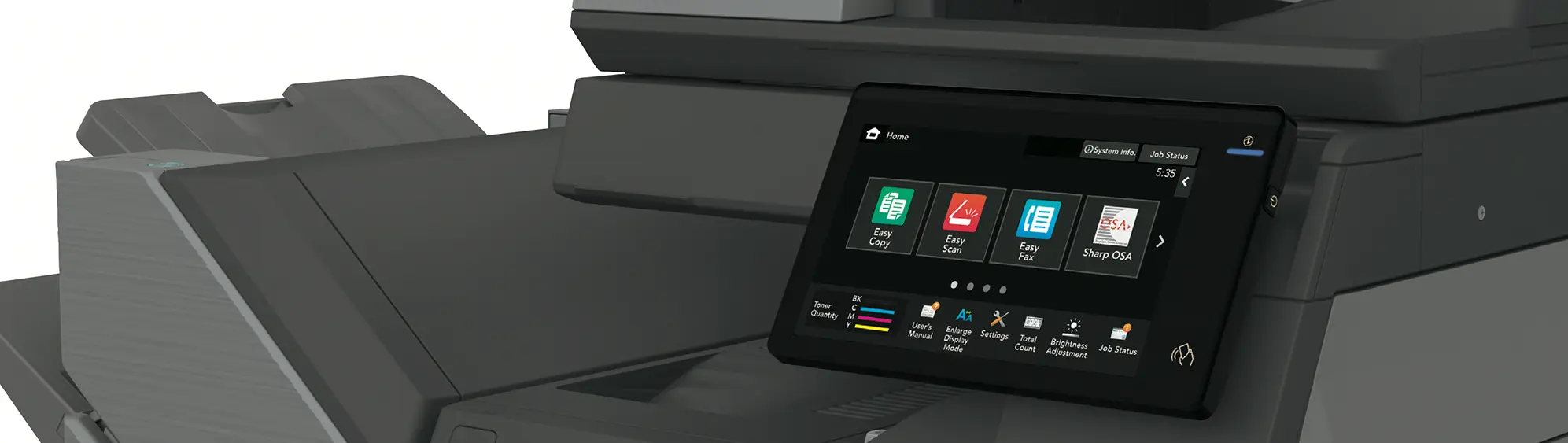
- Intuitive touchscreen interfaces
- Automated workflow capabilities
- Optical Character Recognition (OCR)
- Automatic document feeders
- Dual-sided scanning and printing
- Print queue management
- User access controls
Cost Considerations Beyond the Purchase Price
- Initial purchase or lease options
- Cost per page analysis
- Energy efficiency ratings
- Maintenance requirements
- Supplies and consumables
- Service agreement coverage
Professional Printer Sales and Service
For businesses in Albuquerque and Santa Fe, partnering with a local printer sales and service provider offers several advantages:
- Expert guidance in printer selection
- Flexible purchase or lease options
- Professional installation and setup
- Reliable maintenance and repairs
- Local supplies availability
- Rapid response times for service calls
- Technical support when you need it
Crumbacher: Your Local Business Printer Solution Expert
As New Mexico’s trusted business technology partner, Crumbacher helps organizations in Albuquerque and Santa Fe select and maintain the right printing solutions. Our comprehensive printer services include:
- Expert printer consultation and sales
- Flexible leasing options
- Professional printer installation
- Regular maintenance services
- Rapid-response repair services
- Local supply availability
- Technical support and training
Take the Next Step
Ready to enhance your office’s productivity with the right multifunction printer solution? Contact Crumbacher’s printer professionals today. We’ll help you select the perfect printing solution for your business needs and provide ongoing support to keep your equipment running at peak performance, whether you’re in Albuquerque, Santa Fe, or the surrounding areas.

